Powerful analytics for X
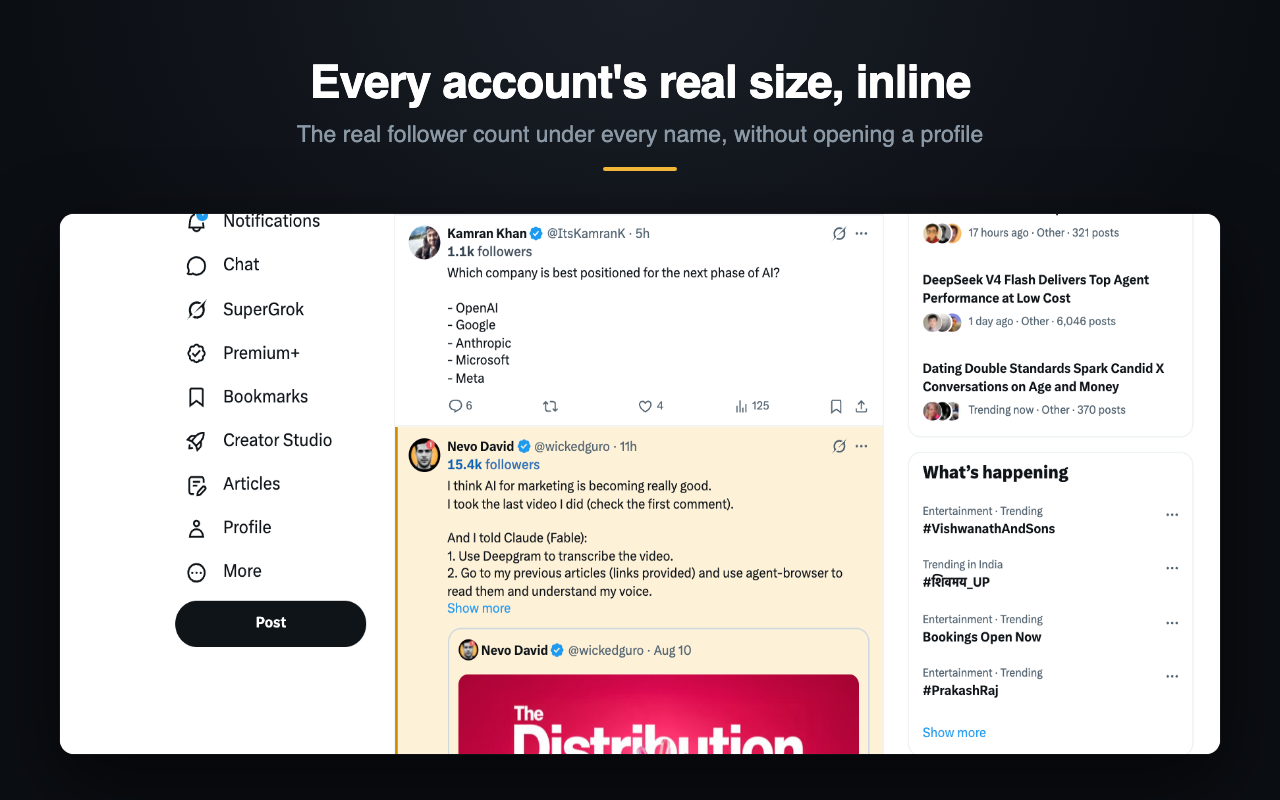
A 300-follower account and a 300,000-follower account look identical on X until you open the profile. BoostX puts the numbers under the name — how big they are, how often they post, and how far the post actually travelled.
Colour tracks account size. Where there isn't enough data for a figure, nothing is shown — never a dash or a question mark.
Four numbers, under every name
Read from what X already renders on the page. Nothing is fetched on your behalf and nothing is requested from X's API.
- followers
- The count you'd otherwise open a profile to see. Coloured by size tier, so you can scan a screen instead of reading it.
- posts
- Lifetime post count, which tells you whether 40,000 followers took ten years or ten weeks.
- posts/day
- Original posts only — replies excluded. Measured across the posts actually seen rather than dividing a lifetime total by account age, which would answer a different question.
- reach
- How many times a post's views cover its author's following. Under 1× it stayed inside their own audience. Well above, X pushed it to people who don't follow them.
Reach, corrected for how old the post is
Raw views ÷ followers mostly measures a post's age, not how far it spread. A post twenty minutes old has barely any views yet; the same post two days later has all of them.
Across the posts collected so far, the median ran 0.019× under fifteen minutes and 2.93× past a day — a 150× spread with nothing about the actual travelling changed. BoostX divides by the share of views that have typically landed by that age, which flattens the age effect from 12.6× down to 1.3×.
So a twenty-minute-old post and a two-day-old post from the same account read about the same. That's the whole claim.
Set a size, and the timeline reorganises
Pick a follower threshold. Everything above it gets a highlight rail; everything below fades back, or disappears.
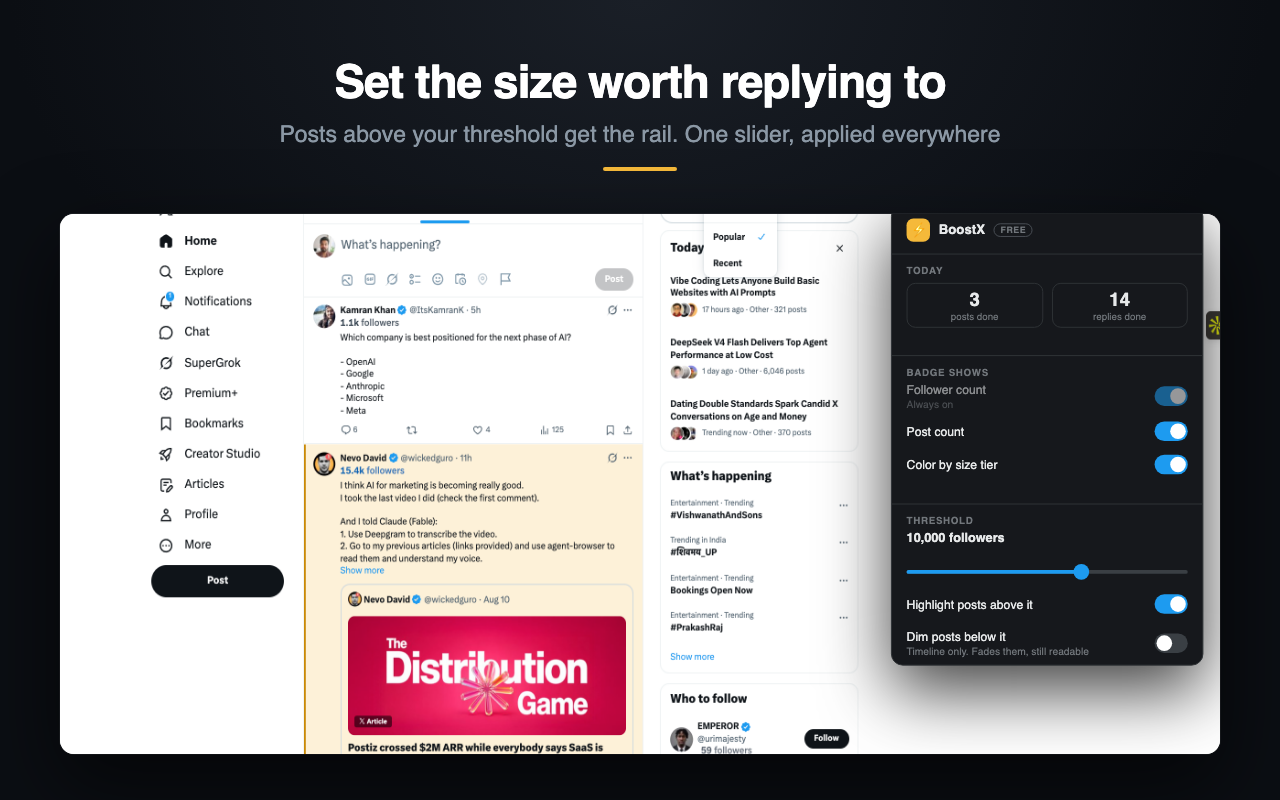
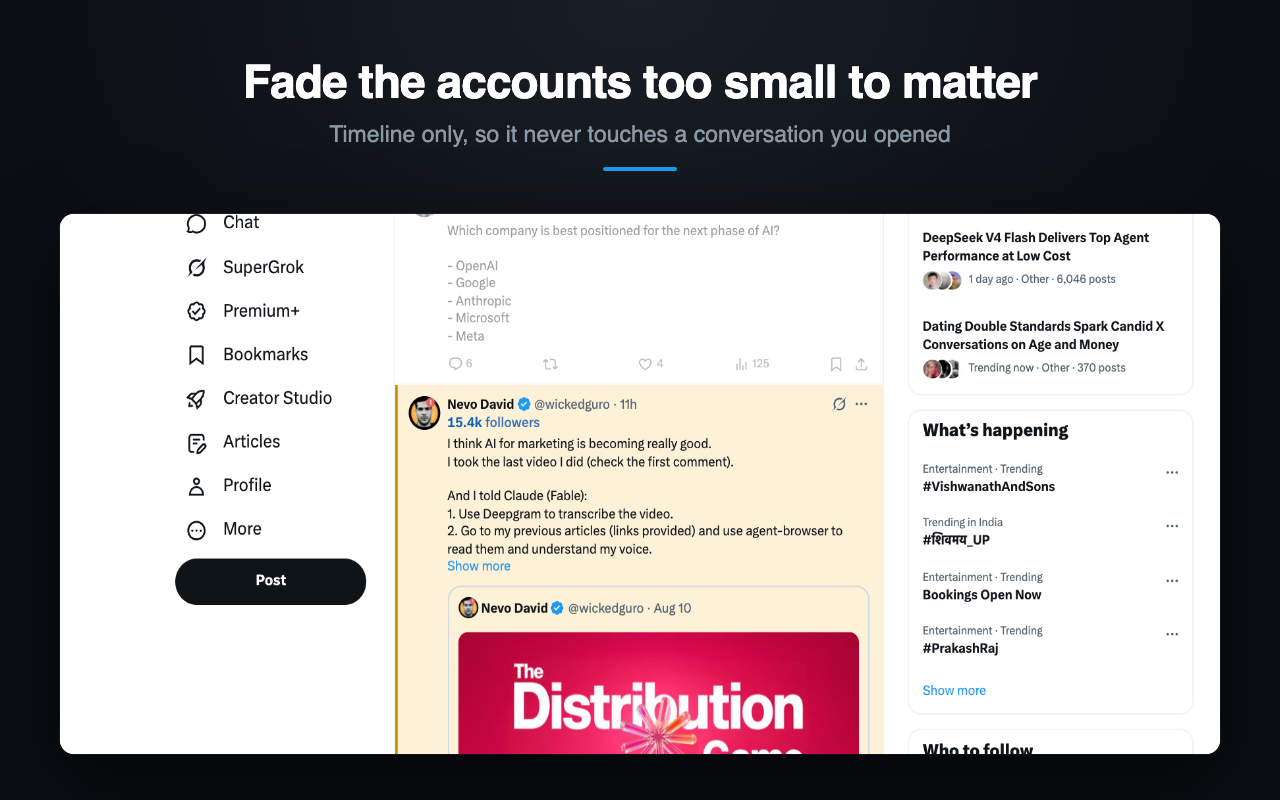
Dim and hide apply to the timeline only. They never touch a conversation you've opened.
What it doesn't do
- No sign-in. There is no account, and nothing to create.
- No access to your X account. It can't post, follow, like, or read your messages.
- Nothing that identifies you. Statistics about public posts are collected to compute posting rates and what a typical post does. No user id, no session id, no browsing history.
- Runs only on x.com. Every other site is untouched.
The full detail is in the privacy policy.
Built in public
New feature most weeks, and the reasoning posted along the way — including what the numbers say when they disagree with the plan.